
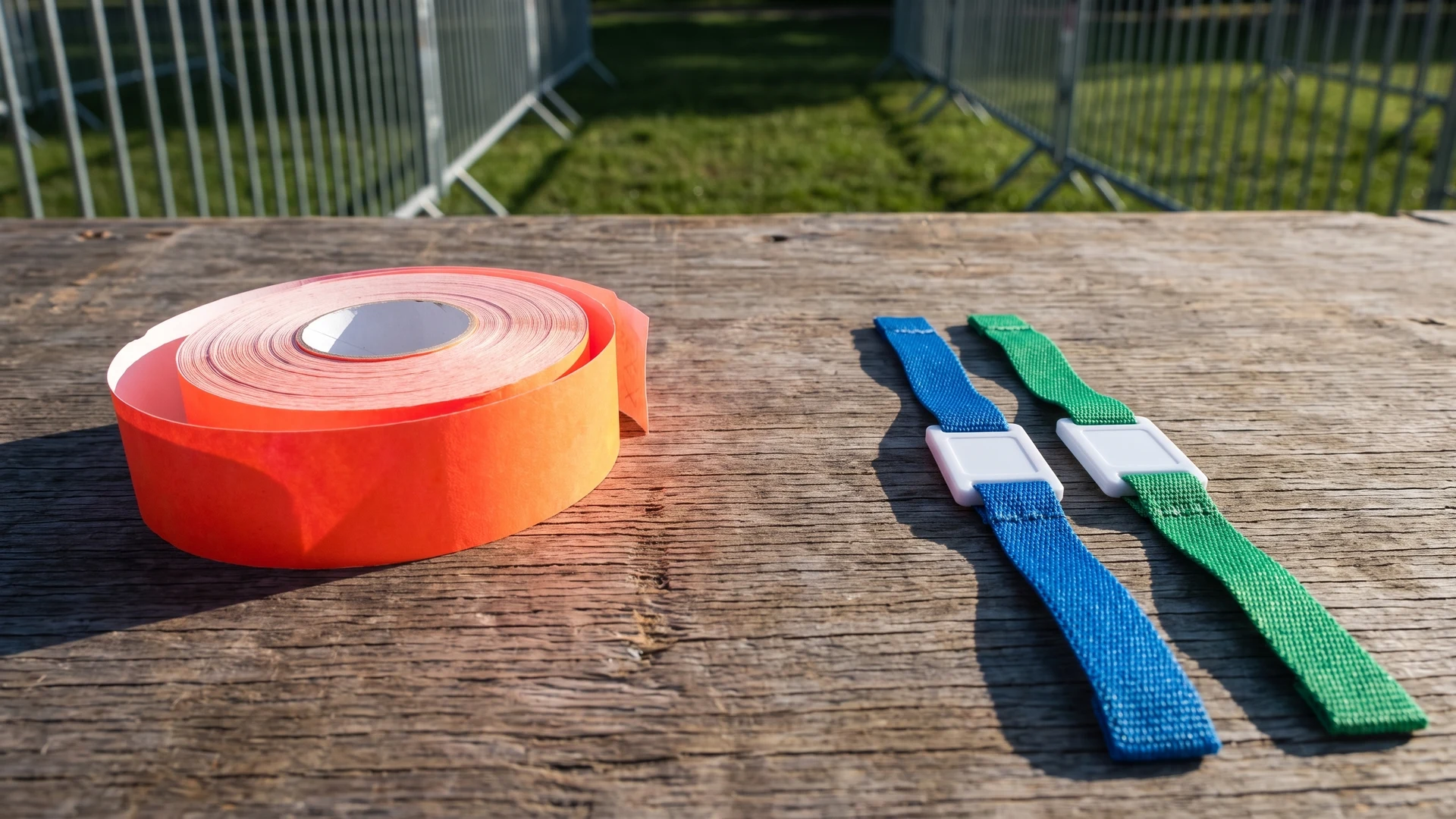
Evaluating radio frequency identification for event access
Planners often face a choice between adopting digital access technology and relying on a simple visual event wristband. You need to consider whether your event genuinely requires hardware validation or if basic colour coding and visual inspection meet your operational requirements. Adopting a digital system introduces new logistical layers, including hardware installation, software integration, and specific staff training. If your admission process is straightforward, a physical wristband might offer the most reliable and cost-effective approach.
Every additional layer of technology changes how guests enter your venue and how your team operates at the gates. You must assess the physical layout of your site, the number of access checkpoints, and the technical competence of your staff. An overly complex system can create unnecessary bottlenecks if your team is not prepared to manage the hardware. By carefully reviewing your actual needs, you can prioritise a smooth guest experience over adopting technology simply for its own sake.
Recognizing when a simple visual event wristband is enough
Before exploring digital options, you should identify scenarios where standard materials like Tyvek, vinyl, or fabric fully support your access control strategy. Traditional visual methods save budget and reduce operational friction when your requirements remain uncomplicated. A physical event wristband gives your staff a clear, tangible identifier that requires no external power or scanning devices to verify.
Single zone admission events
Events that grant all attendees the same level of access rarely need complex technology. If your guests only need to show proof of entry at the main gate, a distinct wristband colour combined with a secure closure provides immediate visual confirmation. Staff can quickly inspect the material and closure type to ensure the wristband has not been transferred. This straightforward approach keeps queues moving rapidly without requiring expensive scanning hardware.
Straightforward age verification checks
Managing alcohol sales or restricted areas often requires a reliable way to identify guests who meet specific age criteria. A brightly coloured event wristband serves as an immediate visual cue for your bar staff and security teams. However, you should not rely on colour coding as the only method for communicating critical information. Adding clear printed text or symbols to the wristband ensures staff can accurately verify age permissions even in poor lighting conditions.
Events with minimal entry staff
Smaller events frequently operate with a limited number of volunteers or security personnel managing the entrances. A visual event wristband system keeps training requirements minimal, allowing staff to focus purely on observing guests and checking closures. Introducing digital readers requires technical troubleshooting skills that a small team might not possess. Sticking to simple printed identifiers ensures your team remains confident and capable of processing arrivals smoothly.
How a digital chip changes your access control
When an event wristband contains a digital chip, it shifts the validation process from a human visual check to a hardware-based verification. RFID technology uses radio waves to read encrypted identification numbers from a contactless chip embedded in the wristband. This digital transition introduces specific functional capabilities that change how your team manages entry points and restricted areas.
Automated entry validation
RFID chips automate the entry process by communicating instantly with electronic reader terminals at your gates. When a guest taps their wristband near the reader, the system powers the passive microchip and transfers a unique identifier to a central database. The software instantly checks this identifier to confirm a valid ticket before unlocking the turnstile or signalling staff to allow entry. This contactless transfer takes a fraction of a second, which eliminates the delays associated with aligning visual barcodes and helps reduce entry queues.
Managing complex multi-zone permissions
A digital chip excels at handling multiple access levels across different areas of your venue. The RFID wristband contains a unique serial number that maps to a specific guest profile in your database, detailing exactly which zones they may enter. Alternatively, advanced high-frequency chips can store encrypted access control lists directly on their internal memory. This allows offline readers to validate permissions instantly, ensuring that guests only enter the specific backstage areas, VIP lounges, or production zones they are authorised to access.
Real-time capacity tracking
Centralised access software logs every successful validation as guests scan their wristbands, giving your team live data on venue occupancy. This real-time capacity tracking relies heavily on your hardware configuration, such as antenna placement and the use of directional logic to differentiate between entries and exits. While the system provides excellent oversight of peak arrival times, its accuracy depends on guests actively tapping their wristbands. If attendees pass through an open gate without scanning or tailgate behind another person, the system will undercount your current capacity.
Steps for mapping your readers and guest journey
Planning the physical layout of your access hardware is essential for keeping the guest journey smooth and logical. You must determine exactly where attendees will receive their digital event wristband and how they will navigate through various checkpoints. Following a structured sequence helps you position readers correctly from the outer admission gate to the inner restricted zones.
- Identify the initial distribution point: Decide whether guests will receive their digital wristbands via mail before the event or collect them at a dedicated box office upon arrival.
- Position primary admission checkpoints: Place your main hardware readers at the outermost gates where attendees first enter the venue to handle peak arrival times.
- Map secondary restricted zones: Locate the specific entrances for VIP areas, production zones, and staff enclosures where additional readers will verify specific access permissions.
- Plan the exit and re-entry process: Determine if guests need to scan their wristbands when leaving the venue to maintain accurate capacity counts and authorise re-entry later.
Preparing event staff to operate digital checkpoints
Even the most advanced digital access system relies heavily on the staff operating the entry gates. Your security and access teams need comprehensive training on how to use the scanning hardware and read the visual signals on the reader terminals. Staff must understand exactly what different light indicators or sound alerts mean when a guest taps their event wristband. Without proper preparation, human error can easily undermine the significant financial investment you have made in access technology.
You must also establish clear protocols for handling unexpected technical issues or validation failures. If a digital wristband fails to scan, your team needs a secondary method to verify the guest’s credentials without causing a massive bottleneck at the entrance. Training your staff on offline fallbacks and manual verification procedures ensures the event continues running smoothly during a power outage or network failure. Confident staff who understand the technology will provide a much better experience for your arriving guests.
Choosing the right system for your specific event
The most effective access control strategy is the one that perfectly aligns with the actual complexity of your event. Whether you rely on a visually checked Tyvek wristband or implement a comprehensive RFID network, the goal remains the same: moving guests securely and efficiently. By evaluating your venue layout, staff capabilities, and specific security needs, you can select an event wristband system that genuinely supports your operations. Event Wristband Info encourages you to prioritise practical functionality over technological hype to ensure a successful experience for your team and your attendees.
When is a simple event wristband better than an RFID wristband for access control?
Pick a simple event wristband when staff can verify access by sight at a small number of checkpoints. For one-day entry or age verification, printed Tyvek with clear text, colour, and numbering works well. Radio Frequency Identification wristbands help when you need automated validation or re-entry logs.
What hardware and staffing do you need to run RFID entry at a small venue?
At minimum you need Radio Frequency Identification wristbands, compatible readers at each lane, and access software. Provide stable power and a wired or local network, or plan for offline syncing. Assign a trained lane operator and a floor supervisor. Keep spare readers and a visual fallback process.
Can RFID access control work without an internet connection?
Yes. Radio Frequency Identification access can run offline if readers check a local permission list or validate encrypted rights stored on the chip. You then sync scans to the server when connectivity returns. Plan for duplicate ticket detection, clock accuracy, and secure key handling.
How should you encode and check multi-zone permissions to keep queues moving?
Keep the permission model simple and consistent. Map each wristband’s unique identifier to zones in your software, or write encrypted zone flags to smart-chip memory for true offline checks. Configure readers to show a clear allow or deny cue. Print key permissions on the event wristband.
How accurate is real-time capacity tracking with RFID or NFC access chips?
Accuracy depends on technology, reader setup, and behaviour at gates. Tap-based Radio Frequency Identification and Near Field Communication systems are more reliable than long-range sensing. Place readers to avoid blind spots and separate entry from exit. Train staff to prevent tailgating and to manage replacements promptly.