Why testing your event wristband system matters before guests arrive
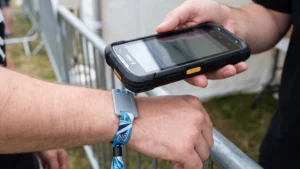
A comprehensive testing phase allows you to identify and resolve system issues long before the first attendee walks through the gate. Relying on isolated checks of software or hardware often leaves gaps in your operational readiness. You must test your physical event wristbands alongside the connected scanners and software in realistic conditions. This approach helps your team spot inconsistencies between the physical material and the digital data it carries.
Approaching your testing practically ensures that your staff feel confident operating the equipment under pressure. Event Wristband Info recommends creating a structured plan that covers every major use case across your venue. When you combine physical wristbands with realistic attendee scenarios, you give your team the chance to refine their checking procedures. This preparation reduces queues, prevents access mistakes, and supports a successful event launch.
Mapping your event zones and hardware touchpoints
Documenting every location where an event wristband interacts with technology gives you a clear view of your testing requirements. Different zones place varying demands on your wristband system, making a site-wide review essential for smooth operations. You must evaluate these hardware touchpoints thoroughly to build a reliable access control strategy.
General admission and entry gates
The main entrances process the highest volume of guests and require fast, reliable scanning. You should test these touchpoints to ensure your scanners can handle peak hourly entry rates without slowing down the queue. Your team must also verify that scanners perform correctly under the specific lighting and weather conditions present at the gates.
Restricted areas and staff zones
Secondary access points manage movement into VIP areas, backstage zones, and staff enclosures. You need to map these locations to confirm that portable scanners or fixed readers restrict access based on the correct permissions. Testing these areas ensures that staff can easily distinguish access levels using both the physical event wristband and the digital validation.
Vendor stalls and payment points
If your event uses cashless payments, you must identify every food, drink, and merchandise location that requires a hardware touchpoint. Mapping these vendor stalls helps you test network connectivity and transaction speeds across the entire site. This step ensures no critical gateway is left out of your comprehensive test plan.
Building realistic sample data sets for testing
Creating a varied test database of attendees allows you to simulate real situations rather than relying on one generic entry scenario. Visual checks must align with digital data to ensure staff make accurate decisions at the gates. You cannot rely on wristband colour alone for critical access or safety information.
- Varied access permissions: You should assign different ticket types to your sample profiles to verify that scanners grant and deny access correctly. This step confirms that your system reads the digital permissions accurately for general admission, VIP guests, and staff members. Testing varied permissions prevents embarrassing delays at restricted entry points.
- Age verification scenarios: Your test data must include profiles for adults and minors to ensure the system alerts staff appropriately. Incorporating clear text or symbols alongside digital data prevents mistakes when staff check identification at bars or age-restricted areas. This combined approach keeps your venue compliant with local regulations.
- Invalid ticket responses: You need to include voided, refunded, and duplicate tickets in your data set to test how the system handles rejections. Testing these profiles ensures your team knows exactly what to look for when a scanner flags a problem. Staff can then respond confidently without second-guessing the hardware.
Running live trials on admission scanners
Testing physical wristbands against entry hardware in real conditions helps you identify environmental factors that disrupt signal reliability. You must differentiate the physical wristband material from the attached technology, such as a Radio Frequency Identification (RFID) chip, when evaluating scan success. The human body absorbs radio waves, which can severely reduce the read range of Ultra-High Frequency (UHF) systems. You should also check for metal structures like steel turnstiles or aluminium barriers, as these materials reflect radio waves and create dead zones where scanners fail to detect the wristband.
Live trials reveal how electronic noise and reader congestion affect your chosen identification method during high-volume entry. Overlapping wireless networks, security walkie-talkies, and large electronic equipment generate electromagnetic interference that clouds the scanner signal. If multiple gate attendants stand too close together using handheld scanners, their signals can cross paths and blind each other. You must run these practical tests to confirm that your hardware reads the event wristband consistently under actual crowd conditions.
Simulating cashless payment transactions and syncs
Testing your point-of-sale integration ensures that purchasing scenarios work flawlessly across the event network. A closed-loop cashless payment system relies on local architectures that decouple terminals from live external bank networks. You must verify these offline-first capabilities to guarantee that vendors can process transactions smoothly.
Loading funds onto the wristband
You must test the process of adding funds to ensure the system updates attendee balances without noticeable latency. Most modern event wristbands store a unique identification token that acts as a secure key to a protected database, rather than holding financial details on the chip itself. Your team should simulate top-ups at physical stations to verify that the network synchronises this tokenised data accurately with the central server.
Processing transactions at vendor stalls
Simulating purchases at bars and food stalls confirms that local terminals verify and deduct amounts correctly. Because transactions validate against an internal ledger, you should test how the system performs when Wi-Fi or cellular networks fail completely. This offline resilience ensures that sales continue uninterrupted and transaction logs safely buffer on the local area network until connectivity returns.
Handling refunds and balance inquiries
Your staff need to practice checking balances and processing refunds to maintain guest confidence during the event. When a terminal regains connection, it initiates a handshake with the central server to merge local transaction logs and update global dashboards. Testing this synchronization cycle ensures that leftover balances clear correctly and financial records remain accurate after the event concludes.
Evaluating staff responses to denied access scenarios
Testing staff reactions to rejected event wristbands prevents confusion and keeps queues moving smoothly. Technology is only as effective as the people operating it, making clear communication and practical procedures vital. You must evaluate how your team handles these high-pressure moments before the gates open.
- Handling red scanner alerts: You should instruct staff on the exact steps to take when a scanner flashes red at an entry point. Practicing this response ensures that attendants calmly direct the guest to a resolution area without blocking the main flow of traffic. Consistent procedures help your team manage access mistakes professionally.
- Managing incorrect zone access: Your team must know how to respond when a guest attempts to enter a restricted area with the wrong permissions. Clear guidelines help staff explain the access limits politely while relying on the physical event wristband and scanner data for confirmation. This approach neutralises frustration and maintains security protocols.
- Escalating unresolved issues: You need to establish a clear chain of command for situations where the attendant cannot determine why the wristband failed. Testing this escalation path allows staff to hand over complex disputes to supervisors or customer support without delaying other guests. Quick escalations keep the primary entry lanes operating at full capacity.
Practicing manual backup processes during a system failure
Network outages and power drops can happen at any venue, making manual backup processes a critical part of your event planning. You must give your organisers confidence that they can manage entry and identify guests even if the primary technology stops working. A physical event wristband provides an essential operational fallback when digital scanners fail. Designing your wristbands with clear text, distinct patterns, and sequential numbering gives staff a reliable way to verify attendees manually.
You should run drills where staff abandon scanners and rely entirely on visual checks and paper-based tallies. Practicing these offline fallbacks ensures your team transitions smoothly without causing panic or massive delays at the gates. Staff need clear instructions on how to record manual entries so you can reconcile the numbers once the system comes back online. This preparation guarantees that your event continues operating safely despite unexpected technical disruptions.
Resolving customer support issues and damaged wristbands
Your customer service team will inevitably encounter torn materials, transfer attempts, or mismatched data during a live event. Testing the workflows for replacing problematic event wristbands prepares your staff to handle these issues efficiently. You need concrete steps for inspecting damaged closures to determine if a guest accidentally broke the wristband or attempted to transfer it. A well-rehearsed process prevents these inevitable support requests from delaying the overall guest experience.
When issuing a replacement, staff must void the old digital identifier securely to maintain accurate inventory and prevent fraud. You should practice the exact software steps required to link a new physical event wristband to the original attendee record. This process ensures that the guest retains their cashless balance and access permissions without creating duplicate active profiles. Testing these resolution procedures gives your team the practical knowledge they need to manage issues calmly.
Signing off on the system and preparing your team
Completing your testing phase provides a final overview of your system health and operational readiness. Once you verify that your physical event wristbands, hardware touchpoints, and staff procedures work together, you can transition confidently into live event operations. Briefing your team on the successful test results builds their confidence and reinforces the correct workflows. With a fully tested system in place, you are ready to launch your event and deliver a seamless experience for every guest.
What should our wristband test plan cover from end to end?
Cover the full guest journey from wristband issue to exit. Build sample profiles with varied permissions and balances, configure scanners and apps, and run timed passes through gates, vendors, and restricted areas. Test re-entry, replacements, and manual overrides. Record findings in a checklist your team can reuse.
How do we stress test entry scanners before doors open?
Simulate peak entry for several minutes with realistic wrist positions and mixed event wristband types. For Radio Frequency Identification (RFID), compare High Frequency 13.56 MHz tap-to-scan with Ultra High Frequency walk-through readers and adjust antenna angles. For barcode or Quick Response code scanners, test bright sun, shade, and night.
Why are we getting missed reads at the gate?
Missed reads usually come from radio frequency (RF) issues. Human bodies absorb signals, metal structures reflect them, and nearby devices add noise. Reduce problems by spacing readers, adjusting power, using multi-antenna setups, moving metal away, and asking guests to present only the event wristband without other contactless cards.
How should we test cashless payments when the network drops?
Set up a realistic closed-loop test where point of sale (POS) terminals process taps offline. Confirm instant local deductions, queued transaction logs, and automatic sync when connectivity returns. Include top-ups from the app and on-site kiosks, refunds, and lost wristband replacement. Reconcile totals between devices and the central dashboard.
How do we check top-ups and balance updates are fast enough?
Measure from payment submission to balance ready at the point of sale (POS). Delays come from network congestion, payment gateways, database sync, and terminal processing. Test peak load, weak Wi Fi, and offline store-and-forward. Set targets for tap response and top-up propagation, then review logs for slow paths.