Connecting physical entry with digital records
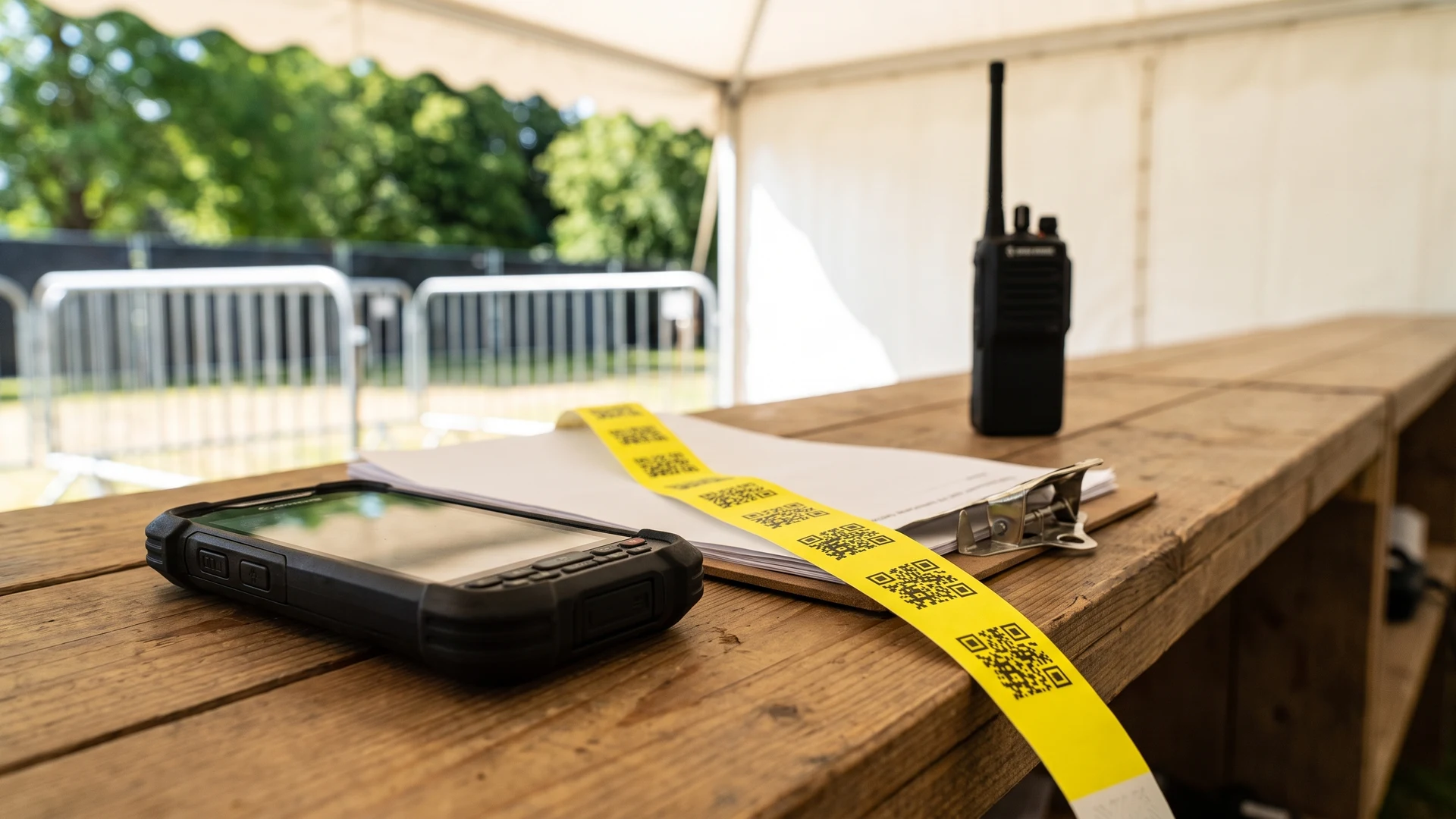
Relying solely on staff to visually inspect event wristbands can lead to bottlenecks and access mistakes during busy admission periods. Printing a unique scannable code on each physical wristband solves this problem by linking the wearer directly to a central digital database. When a member of staff scans the code, the system immediately verifies the ticket status, checks access permissions, and logs the entry time. This connection between the physical material and digital data allows your team to monitor real-time crowd numbers and prevent a single ticket from being used multiple times.
Differences between linear barcodes and Quick Response codes
Choosing the right code format for your event wristbands depends heavily on the amount of data you need to store and the scanning environment at your gates. Organisers typically choose between traditional one-dimensional codes and modern two-dimensional formats. Each option interacts differently with scanning hardware and physical wristband space.
Linear barcodes for simple numerical identifiers
Standard one-dimensional linear barcodes store a limited amount of data horizontally in a series of black lines and white spaces. They work well when you only need to link a short, simple numerical identifier to a guest record in your system. If you try to encode too many characters, the barcode becomes physically wider and may stretch beyond the printable area of a standard wristband. When the lines become too dense or wrap around the curve of a guest’s wrist, standard scanners struggle to capture the entire code in one pass.
Quick Response codes for higher data capacity
Quick Response (QR) codes are two-dimensional symbols that store information both horizontally and vertically. This grid structure gives them a significantly higher data capacity, allowing you to encode hundreds of characters into a compact square that fits easily onto most event wristbands. The design includes three large concentric square markers in the corners, known as finder patterns, which allow scanning devices to detect the code instantly. Because these codes pack complete data into a single symbol, they can eliminate the need for the scanner to look up information across a slow network connection.
Evaluating scan speed at busy event gates
The scanning speed at high-traffic entrance gates depends directly on how freely staff can read the codes without realigning the guest’s wrist. Linear barcodes require a precise horizontal line of sight, which can slow down entry if staff have to physically twist the event wristband into the correct position. In contrast, the finder patterns on QR codes allow for omnidirectional scanning, meaning modern camera-based area imagers can read them from a full 360-degree angle. QR codes also feature built-in error correction, which prevents minor smudges or scratches from forcing staff to attempt multiple rescans during a rush.
Selecting printable materials for your event wristbands
The physical material you choose for your event wristbands dictates how well the printed codes will survive the environmental conditions of your venue. Direct-thermal printed wristbands and standard paper options can fail quickly outdoors when exposed to intense ambient sunlight, high heat, or high humidity. Ultraviolet rays break down chemical bonds in standard ink and cause cheap paper to yellow, which destroys the high contrast needed for optical scanners to read the code. Moisture from morning dew, rain, or sweat can also cause paper fibres to swell and blur the sharp edges of the code patterns.
To ensure reliable scanning over a multi-day event, you should select durable base materials that resist tearing, stretching, and water damage. Weatherproof vinyl or polyester materials hold their shape much better than standard paper and prevent the barcode from distorting when wrapped tightly around a wrist. You can further protect the print by using solvent-based inks and applying a clear, ultraviolet-resistant laminate over the code area. Matching the physical durability of the wristband to your specific environment ensures that your digital access system remains functional from the first day to the last.
Hardware and software requirements for gate checks
A scannable event wristband only provides value when paired with the correct scanning hardware and access control software. Your procurement team must ensure that the physical reading devices communicate seamlessly with the central database managing your event. Building this infrastructure correctly prevents bottlenecks and data loss during your busiest periods.
Choosing handheld scanners or fixed reading stations
Gate staff require scanning hardware equipped with image sensors capable of reading your chosen code format in various lighting conditions. Modern Complementary Metal-Oxide-Semiconductor (CMOS) area imagers are the standard choice for reading two-dimensional codes because they capture a full grid image instantly. Older Charge-Coupled Device (CCD) linear scanners take more time to process signals serially and often struggle to read digital screens or curved wristbands. CMOS devices also operate on lower voltages, making them ideal for portable, battery-powered handheld scanners that staff carry around large venues.
Connecting scanning devices to access control software
Your scanning hardware must communicate rapidly with your event management software to verify ticket statuses in real time. This connection happens through an Application Programming Interface (API), which acts as a secure messenger between the scanner and the central database. When an attendee presents their event wristband, the scanner captures the unique code and sends a request through the API to confirm validity. The software checks the record and instantly sends a response back, prompting the device to flash a green approval light or a red rejection warning.
Ensuring stable local networks or planning offline backups
Outdoor events frequently suffer from congested cellular networks or weak temporary internet connections, which can cause API lookup delays. Setting up a local on-site server, known as edge computing, allows your scanning devices to talk directly to a local machine instead of relying on the outside internet. Good scanning applications also cache the attendee list locally on the device to keep lines moving if the connection drops entirely. Once the network reconnects, the system pushes all stored offline check-ins to the main database using strict transaction rules to prevent duplicate entries or half-saved files.
Steps for processing guests at the entrance
Establishing a clear and consistent workflow at your entrance gates prevents confusion and keeps queues moving efficiently. Security and access-control teams should teach their staff a logical step-by-step process for handling every guest. Following these operational steps ensures that staff apply the event wristbands securely while capturing accurate digital records.
- Greeting and ticket verification: The staff member welcomes the guest and asks them to present their original booking confirmation or digital ticket for an initial visual check.
- Scanning and digital validation: Staff use a handheld device to scan the ticket code, waiting for the system to display a green approval signal that confirms the guest has not already checked in.
- Selecting the correct wristband: Once the system validates the ticket, the staff member picks the specific wristband colour and material that matches the guest’s assigned access level or age category.
- Applying the wristband securely: The staff member wraps the event wristband around the guest’s wrist, adjusting the closure to ensure it is comfortable but tight enough to prevent removal or transfer.
- Final visual confirmation: Staff perform one last check of the applied wristband and direct the guest toward the appropriate event zone or restricted area.
Managing damaged wristbands during the event
Even with durable materials, event wristbands can suffer physical damage that makes their printed codes unreadable by scanning hardware. Guests might accidentally stretch the material, scratch the code against rough surfaces, or expose the wristband to excessive moisture over several days. When a code fails to scan at an internal checkpoint, staff need a clear protocol to resolve the issue quickly without compromising site security. Delaying a guest unnecessarily causes frustration, but waving them through without a valid scan breaks the integrity of your digital access records.
To handle these situations, your team should set up a dedicated customer service desk where staff can verify the guest’s original purchase details. Once the staff member confirms the guest’s identity and ticket status, they must digitally invalidate the damaged code in the access control software. They can then issue and scan a new replacement event wristband, linking the fresh code to the existing guest profile. This controlled replacement strategy keeps your real-time attendance data accurate and prevents anyone else from finding and using the discarded wristband.
Steps for reconciling access records and physical stock
When the event concludes, administrators must match the digital data gathered at the gates against the physical inventory. A thorough post-event audit allows management teams to account for every issued wristband and identify any operational discrepancies. Following a structured reconciliation sequence ensures complete transparency for future planning.
- Exporting digital scan data: The access-control manager downloads the final check-in report from the event management software to determine the exact number of unique wristbands scanned.
- Counting unused physical stock: Staff gather all unissued event wristbands from the entrance gates and secure storage areas to calculate the remaining physical inventory.
- Calculating total wristbands issued: Administrators subtract the remaining unused stock from the original starting inventory to find the total number of physical wristbands distributed during the event.
- Comparing physical and digital totals: The team compares the number of physically issued wristbands against the digital scan logs to check for discrepancies, which might indicate unrecorded replacements or manual overrides.
- Documenting final variances: The management team records any differences in a final audit report, using this data to improve staff training and stock security for the next event.
Building a reliable system for your next event
A successful access strategy relies on connecting the correct code format, appropriate physical materials, and clear operational procedures. Choosing hardware that scans efficiently and software that syncs reliably ensures that your gate teams can process guests without unnecessary delays. When you align your physical event wristbands with a robust digital system, you gain the accurate data needed to monitor capacity, improve security, and streamline future operations. Event Wristband Info encourages careful planning to help organisers build accessible, secure, and highly functional entry systems.
Which code type works best on event wristbands?
The best choice depends on scanning freedom, data needs, and hardware. One-dimensional 1D barcodes store roughly 20 to 80 characters and scan quickly, but they need careful alignment. Quick Response QR codes scan from any angle and include error correction. Use a two-dimensional area imager.
What printing and materials help codes survive outdoor gates?
Choose weatherproof vinyl or polyester with an Ultraviolet UV resistant laminate and solvent or UV-curable inks. Avoid direct thermal prints for long outdoor exposure because heat and sunlight fade them quickly. Reduce curvature and reflections, and keep lenses clean. Provide shade to improve contrast and scanning.
How do we keep scanning fast in high-traffic entry lines?
Use a two-dimensional area imager so staff can scan Quick Response QR codes from any angle. Keep barcodes short and high contrast to reduce decoding time. Add shade at gates, clean optics often, and train staff on a simple wrist turn to present the code quickly.
What hardware and software do we need to validate wristbands at the gate?
You need a scanner or phone camera, a scanning app, and event software connected through an Application Programming Interface API. The device sends the code, the software verifies it and updates status, then returns pass or fail. Pick area imagers for phone screens. Enable local caching.
How do we handle internet outages without losing track of entries?
Set up an on-site local network so scanners talk to a local server during outages. Use a database that follows Atomicity Consistency Isolation Durability ACID rules to prevent partial saves. Queue scans with timestamps and sync when the link returns. Add redundant routers for failover.