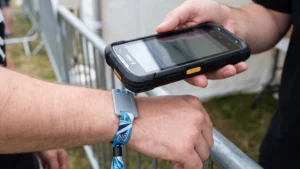
Preparing your scannable event wristbands for network failures
A sudden loss of internet connectivity at your event entrance can quickly cause long queues and frustrate arriving guests. Planning an offline access strategy ensures your staff can continue checking event wristbands without relying on a constant connection to your main server. A solid fallback approach maintains operational momentum and prevents bottlenecks from forming during peak arrival times. When you prepare your technology and your team for potential network failures, you protect the guest experience and maintain consistent admission control.
Understanding how wristband technologies behave offline
Different technologies embedded or printed on event wristbands handle offline scenarios in distinct ways. You must separate the physical wristband material from the digital identifier attached to it to understand how your scanners will react during a network drop. Choosing the right technology ensures your team knows exactly what the hardware can process locally. This knowledge allows you to build a resilient system that keeps entrances moving smoothly.
Barcodes and Quick Response codes
Quick Response (QR) codes and traditional barcodes store data directly inside their visual patterns. When a scanner reads a QR code offline, the decoding software on the device maps the grid of black and white squares and translates it into characters or numbers locally. If the code contains static text or a unique ticket string, the scanner can read it perfectly without an internet connection. However, if the code simply redirects to a web address, the device will decode the link but cannot load the target page until the network returns.
Radio Frequency Identification
Radio Frequency Identification (RFID) relies on an embedded chip and an antenna to communicate with a compatible reader. When the network fails, the local door controller or handheld reader can still interact with the chip on the event wristband. The reader uses its internal memory to evaluate the data stored on the chip and make an immediate access decision. This means staff can continue processing entries and managing access zones seamlessly during temporary dropouts.
Near Field Communication
Near Field Communication (NFC) operates similarly to RFID but requires the wristband to be much closer to the scanning device. An NFC chip holds specific payload data that a smartphone or dedicated reader can extract instantly without querying a cloud database. As long as the local scanning device holds the correct validation rules, it can authorise the NFC wristband offline. You should not treat RFID and NFC as interchangeable technologies because their read ranges and hardware requirements differ significantly.
Using offline lists to keep your entrances moving
Local caching allows your ticket scanning devices to validate event wristbands without querying a remote server for every guest. Before the gates open and while a strong network signal remains available, your team downloads the complete database of valid tickets directly into the local storage of each scanning device. When a guest presents their wristband, the scanner checks the local memory to confirm the code is valid and has not already been used. The device instantly displays a confirmation and updates the local status to prevent a duplicate scan at that specific gate.
To make this offline caching work reliably, you must implement a strict database lockout once the download is complete. If online ticket sales or transfers continue after the devices pull the offline list, any new tickets will not exist on the local scanners and will trigger false rejections. Downloading the database as close to the gate opening time as possible ensures that late changes or refunds are captured before the devices go offline. This approach protects the guest experience while maintaining a secure perimeter during network outages.
Processing delayed synchronisation when your connection is restored
When your network connection stabilises, the offline devices must safely upload their cached scans back to the central server to reconcile the data. This delayed synchronisation process merges the local records from all entry points to create a single accurate attendance log. You must manage this upload carefully to prevent data loss and resolve any duplicate entries correctly.
- Establishing the connection: Reconnecting multiple devices simultaneously can cause a massive spike in network traffic and bottleneck your routers. You should stagger the reconnection of your handheld scanners to preserve upload bandwidth and ensure the server processes the data smoothly. A phased approach prevents the devices from accidentally overloading the network and prolonging the recovery period.
- Uploading the local logs: Each device pushes its locally queued transaction logs to the cloud server during the synchronisation phase. These payloads include the specific hardware timestamp for every scanned event wristband to guarantee accurate tracking. The central database collects these individual records and sorts them chronologically to build a complete timeline of guest entries.
- Resolving duplicate scans: The system automatically applies conflict resolution rules if multiple offline devices scanned the same un-synced wristband at different gates. The central server typically uses a first-scan-wins policy that accepts the earliest recorded timestamp as the only valid entry. Any subsequent scan attempts are flagged as security exceptions or duplicates so you can review them during your post-event audit.
- Finalising attendance data: The central database updates all master ticket statuses to reflect the true number of checked-in guests once all conflicts are resolved. This synchronisation updates your real-time attendance dashboards and finalises the audit trail for the entire event. Accurate reconciliation ensures your venue management team has reliable data for capacity planning and financial reporting.
Training your team to perform visual wristband checks
If your scanning hardware fails completely and cannot operate offline, your staff must revert to a foolproof manual backup plan. Training your team to perform rigorous visual checks ensures that access control continues safely using the physical features of the event wristbands. A clear manual procedure gives staff the confidence to inspect materials, closures, and printed details without causing unnecessary delays.
- Verify the base material of the wristband to ensure it matches the official specification for that specific day or zone.
- Inspect the closure mechanism for any signs of tampering, stretching, or unauthorised reapplication.
- Check for sequential numbering to confirm the wristband belongs to the correct batch issued by your team.
- Read the printed text or symbols that explicitly state the access permissions, rather than relying solely on the background colour.
- Look for custom security features such as foil stamping or ultraviolet ink that distinguish genuine event wristbands from generic replacements.
Finalising a resilient access plan for your event
Building a robust access control strategy requires you to combine reliable event wristbands with carefully planned offline procedures. Preparing your hardware for local caching and training your staff on visual checks guarantees that technical difficulties will not disrupt your event flow. Event Wristband Info provides practical guides and objective information to help you balance your technology choices with essential physical security needs. By anticipating network dropouts and establishing clear fallback methods, you ensure a smooth and professional experience for every guest entering your venue.
Do QR code wristbands still scan if our internet goes down?
Yes. Quick Response code data is decoded on your device, so a QR code wristband still scans offline. To validate entry, your scanner needs a locally stored guest list. If the code only points to a web page, it reads but the page will not load.
What should we preload on scanners so ticket checks work offline?
Preload the full guest list, ticket identifiers, access rules, and zone permissions onto each device’s local storage, then run a final sync close to gate open. Close new registrations and transfers. Keep at-the-door sales on one online device to prevent duplicate codes during offline scanning.
How do RFID wristbands and NFC wristbands handle offline access control?
Radio Frequency Identification wristbands store an identifier that a compatible reader checks against a locally cached allow list of permitted credentials. Near Field Communication wristbands use short range taps and can also be checked locally. Both queue access logs for later sync, while cashless payments typically require a live processor.
How are duplicate or double-entry attempts handled when devices resync?
During reconnection, the system sorts all scans by device timestamps, accepts the earliest valid scan, and flags later ones as duplicates. Servers discard repeat uploads using unique transaction identifiers. Your reports preserve the full audit trail, so security teams can review repeated attempts after the event.
How can we speed up data synchronisation once the network comes back?
Stagger device reconnects, then let the app batch uploads rather than sending single events. Prioritise text-based check-ins over media. Keep attendee devices off the staff network to reduce congestion. Ensure your uplink has enough capacity, and allow backoff so scanners retry over a wider time window.