Balancing branding and technology on event wristbands
Event organisers face a distinct challenge when combining physical branding with embedded technology on a single event wristband. The wristband must communicate visual access permissions clearly while housing delicate microchips safely. If the design prioritises aesthetics over function, staff may struggle to read visual markers or scan digital elements efficiently. Event Wristband Info provides objective knowledge to help you build a design strategy that ensures both the physical material and the technological components work together. A well-planned approach creates a smooth experience for guests and staff alike.
How the physical material supports the embedded technology
The outer material of an event wristband plays a vital role in protecting the internal technology from damage during a busy event. You must distinguish the physical wristband material from the technology identifier it carries.
The chip and antenna enclosure
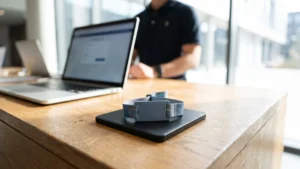
Manufacturers pre-assemble microchips and antennas onto a flexible plastic substrate known as an inlay. This delicate inlay requires encapsulation to protect it from moisture and physical impact during the event. For silicone event wristbands, the inlay is placed directly into a mold where raw silicone cures around it under high heat and pressure to form a waterproof enclosure. For fabric wristbands, the inlay is sealed inside a rigid plastic badge or slider that threads onto the strap or attaches via ultrasonic welding.
The wristband strap material
The strap material determines how well the wristband withstands environmental factors while allowing radio signals to pass through. Manufacturers often use materials like silicone or Thermoplastic Polyurethane because they are highly durable and resist water. These materials are also radio frequency transparent, meaning they allow signals to transmit freely while shielding the internal components from scratches. Modern straps often feature engineered flex zones that remain rigid near the delicate antenna connections but flexible around the wrist to prevent bending stress.
The closure mechanism
The closure mechanism secures the event wristband to the guest and ensures the embedded technology remains positioned correctly for scanning. A secure closure prevents the wristband from slipping off or rotating excessively, which could disrupt the alignment needed for a quick scan. You must choose a closure that matches your event security requirements, as a tamper-evident seal stops guests from transferring the technological identifier to someone else. This physical barrier supports the integrity of your entire digital tracking system.
Selecting print methods for your event branding
Applying your event branding requires specific printing techniques that match the physical properties of the wristband material. Choosing the correct print method ensures your logos and access indicators remain legible throughout the event duration.
Dye sublimation for fabric straps
Dye sublimation uses a combination of high heat and pressure to apply full-colour designs to polyester fabric wristbands. The process prints artwork onto special transfer paper before a commercial heat press forces the solid dye to turn directly into a gas. This gas penetrates the synthetic polyester fibres and bonds permanently inside them as the material cools. Because the ink fuses into the thread rather than sitting on the surface, the resulting design feels smooth and will not crack or wash off easily.
Digital printing for plastic and vinyl
Plastic and vinyl event wristbands feature non-porous surfaces that require digital printing with specialised inks to ensure proper adhesion. A digital press transfers the design directly from a computer file to the synthetic material without the need for physical printing plates. This method easily accommodates variable data, allowing you to print sequential numbers or unique barcodes on every single wristband. Once the ink touches the surface, an ultraviolet light tunnel instantly cures it to prevent smudging and ensure maximum durability.
Screen printing for silicone
Silicone is naturally non-stick and features a low surface energy that causes standard inks to fail quickly. Screen printing on silicone requires specialised silicone-based inks mixed with a curing catalyst to chemically crosslink with the wristband surface. Printers place the wristband on a custom-fitted rubber mold to prevent shifting while they apply the ink through a fine screen. The printed silicone then undergoes controlled thermal curing in a heating chamber to bond the ink permanently and make it resistant to flexing and abrasion.
Designing for visual checks alongside digital scanning
Even when your event relies heavily on scanning technology, your event wristbands must include clear visual identifiers for staff to verify. Digital scanners can occasionally fail, and staff often need to perform quick manual checks in fast-paced environments or restricted zones. You should design the wristband surface so that security personnel can determine a guest’s permissions at a glance without always needing a handheld device. A strong visual design prevents bottlenecks at entry points and keeps crowd movement flowing smoothly.
When establishing these visual checks, you must remember that colour coding alone is never sufficient for communicating critical access information. Lighting conditions, colour blindness, or simple human error can cause staff to misinterpret a coloured background during a busy shift. You must supplement any colour strategy with bold text, specific symbols, or distinct patterns that clearly state the admission type or age category. This combined approach gives your team a consistent and reliable process for managing guest access across the entire venue.
Comparing Radio Frequency Identification and Near Field Communication
When selecting embedded technology, you must understand the differences between Radio Frequency Identification (RFID) and Near Field Communication (NFC). These are not interchangeable technologies, and each serves a distinct operational purpose based on its scanning range and communication style. Standard RFID systems often operate on high or ultra-high frequencies designed for one-way identification across varying distances. This makes traditional RFID highly effective for general access tracking or inventory management where readers scan passive tags as guests pass through a wide gate.
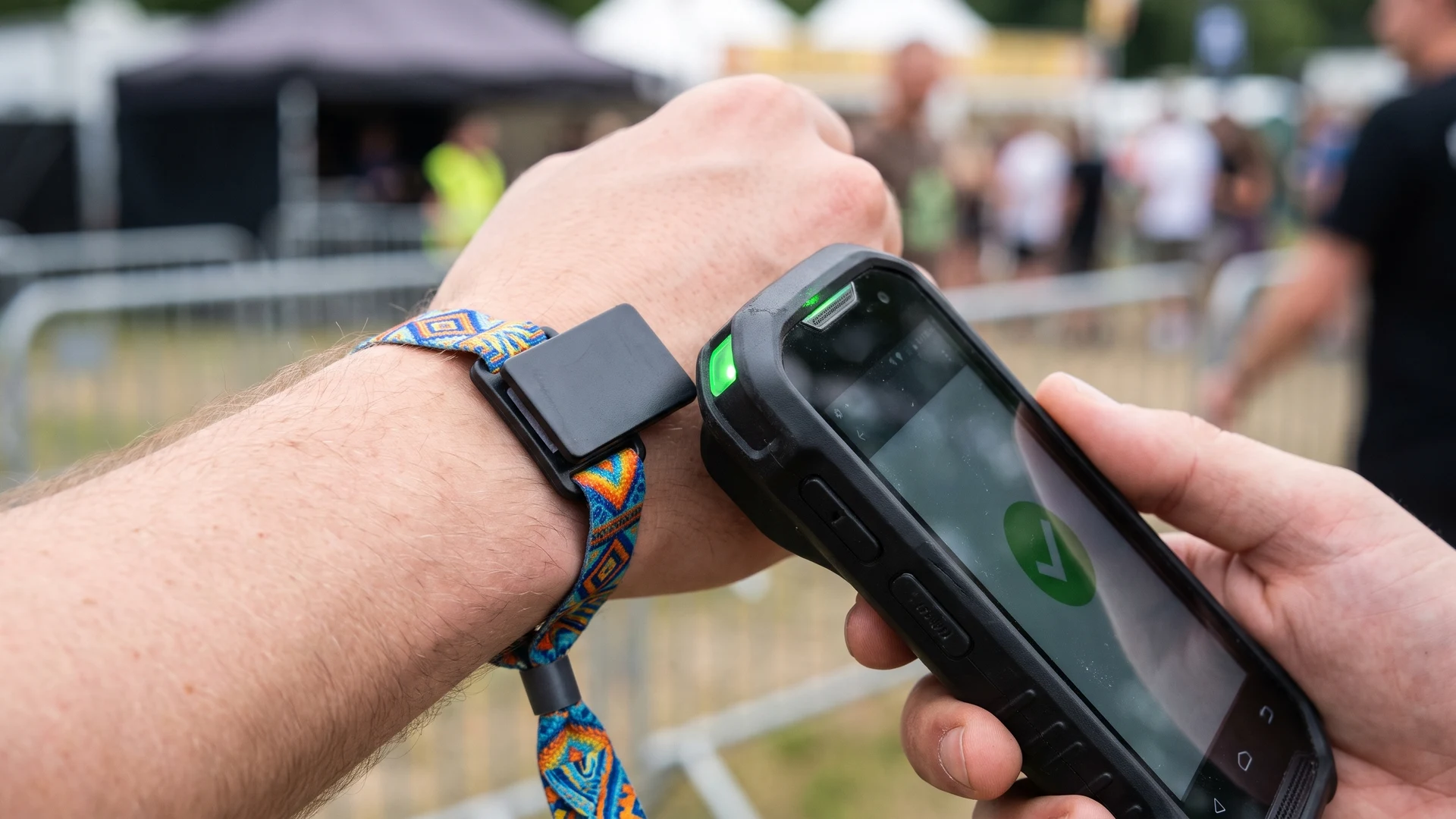
In contrast, NFC is a specialised subset of high-frequency RFID that operates strictly at 13.56 megahertz over a very short distance of four centimetres or less. This intentional proximity limitation requires guests to tap their wristband directly against a reader, which prevents accidental scanning in crowded areas. Because NFC supports secure two-way communication between devices, it is the standard choice for complex interactions like contactless payments or secure data exchanges. Matching the correct technology to your event workflow ensures your validation systems function exactly as intended.
Planning the layout of your wristband design
Organising the visual elements on your event wristband prevents the surface from becoming cluttered and confusing for your staff. You can follow a concrete sequence to layer your branding, text, and technology markers logically.
- Map the scanning zone: First, identify exactly where the embedded chip sits within the wristband material. You should leave this area free of heavy ink or metallic foils that might disrupt the radio signal. Marking this zone early prevents design elements from interfering with the technology.
- Position critical access text: Place the most important information, such as the day of the week or the specific access zone, in the centre of the visible area. Ensure this text uses a bold and readable font. Staff must be able to read these details instantly during busy entry periods.
- Apply the colour coding: Select a high-contrast background colour for the wristband strap that reflects the specific ticket tier. You must ensure this colour choice does not obscure the text or symbols you added for visual verification. A strong contrast keeps the primary identifiers visible in low light.
- Place event branding: Add your event logo or sponsor graphics to the remaining available space on the wristband. Keep these decorative elements scaled down so they do not compete with the functional access information. Clear branding enhances the aesthetic without sacrificing operational efficiency.
- Locate the variable data: Position any secondary tracking elements, such as printed serial numbers, near the closure mechanism. This placement keeps them accessible for detailed stock checks while keeping them out of the primary visual field. Separating these elements helps staff focus on the main access indicators first.
Incorporating sequential numbering and barcodes
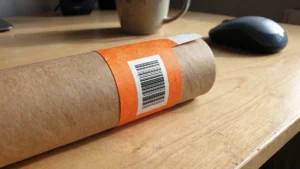
Adding variable data to your printed design provides an excellent secondary tracking method alongside your embedded scanning technology. Sequential numbering prints a unique numerical value on every single event wristband within a specific batch. This numbering helps your team reconcile issued stock against ticket sales and provides a reliable way to audit your inventory at the end of a shift. When a digital scanner encounters an error, staff can manually record the sequential number to keep the queue moving.
You can also incorporate printed barcodes or Quick Response (QR) codes as a backup identification layer. While these features make it harder to duplicate a wristband, you must remember that no single wristband feature absolutely prevents unauthorised access or transfer on its own. These variable elements only provide practical control when your security personnel follow strict procedures for checking and recording them. Layering barcodes with sequential numbers gives your event a robust system for managing guests and resolving access disputes efficiently.
Final checks for your branded technology wristbands
Reviewing the digital proof of your event wristband is a critical step before you approve the design for full production. A methodical final check gives you confidence that the physical and digital elements will function perfectly on the day.
- Verify the technology specifications: Confirm that the proof specifies the correct chip type and frequency for your scanning hardware. You should also check that the physical enclosure matches your durability requirements for the event duration. Identifying the right technology now prevents costly compatibility issues later.
- Inspect the visual contrast: Examine the digital proof to ensure the background colours provide enough contrast against the printed text. You must confirm that any symbols or access indicators remain legible without relying solely on the background colour. High contrast is essential for fast visual checks in poor lighting.
- Review the variable data placement: Check the intended position of sequential numbers or printed barcodes on the strap. You need to ensure these elements sit far enough away from the closure mechanism so they are not accidentally cut or hidden during application. Proper placement guarantees staff can read the data easily.
- Confirm the closure type: Check that the selected closure mechanism provides the right level of security for your event. If your event requires non-transferable event wristbands, ensure the proof includes a one-way locking slider or a destructive adhesive seal. The right closure supports your overall access control strategy.
- Approve the final quantities: Review the total order numbers for each specific design variation or access tier. You should include a sensible reserve for walk-in sales, damaged items, and staff replacements. Signing off on accurate quantities ensures your team has enough stock to manage the entire event smoothly.
Where should the RFID or NFC chip sit on a wristband for dependable scanning?
Position the Radio Frequency Identification (RFID) or Near Field Communication (NFC) inlay in a small plastic slider on the top face, with a clear print free zone. Keep metal clasps and foil away from the antenna area. Avoid tight skin contact and test reader orientation at walking speed.
How do you keep access text and branding clear when the wristband also handles payments?
Reserve a high contrast panel for permissions, zone icons, and serial numbers. Repeat critical text along the strap so it remains visible near the chip housing. Use clear fonts, avoid seams or closures, and back colours with symbols or short labels.
Which print methods work best for fabric, silicone, and vinyl wristbands with embedded tags?
On polyester fabric event wristbands, dye sublimation fuses colour into the fibres for durable full coverage. On silicone, screen print with silicone based inks and heat cure for lasting adhesion. On vinyl or PVC, digital UV LED or thermal printing cures ink on the surface and supports variable data.
Will metallic inks or clasps reduce read performance?
Yes, nearby metal can weaken the radio signal and detune the small antenna. Avoid metallic inks, hot foil, and metal clasps near the inlay. Use plastic closures around the chip area and test with your readers before sign off.
What is the practical difference between RFID and NFC wristbands for events?
Near Field Communication (NFC) is a short range part of High Frequency Radio Frequency Identification (RFID). NFC handles tap interactions for payments and access within a few centimetres. Other RFID types offer longer range and bulk capture for hands free gates and tracking.